
Understanding How Your Tracker Works
How to change tracker modes?
There are different modes for the Bikefinder tracker in order to locate your bike.
Read about them to understand how the tracker works.
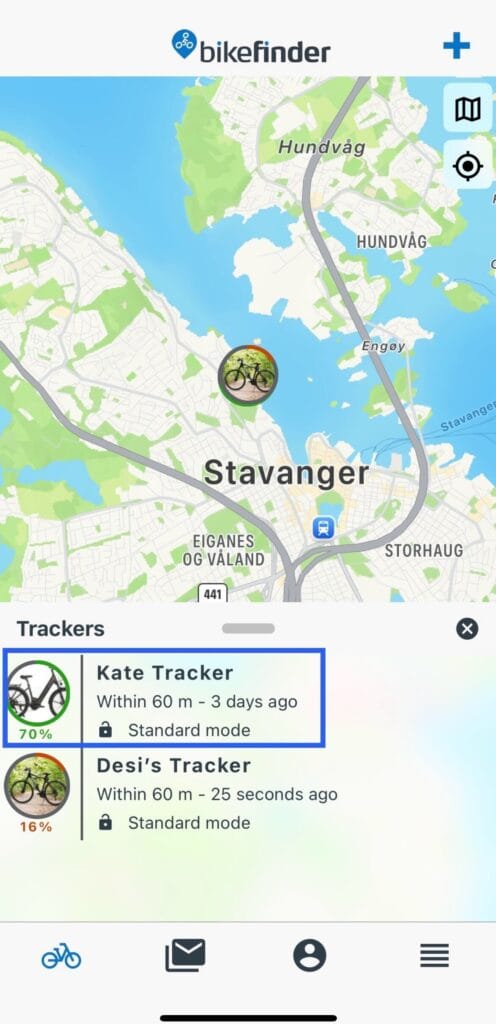
1. Click on the tracker in the BikeFinder application
2. Navigate to “Modes” icon
3. Select the mode you wish to use


The new mode will first take effect when timer from last used mode runs out.
We recommend standard or security mode for normal use.
The different modes explained
The different signal types (GPS, GSM, LTE-M, NB-IoT AND BLE) explained
The BikeFinder tracker uses different types of position signals, depending on the tracker mode set.
Below we provide you with a short summary of the different signal types, but feel free to read more about them here.
GPS (Satellite signal)
• This is the most accurate location tracker signal. It’s down to 10 meters accuracy anywhere in the world where it can receive the signals.
• It requires that Bikefinder can communicate with the satellites in space, and therefore, obstacles like thick concrete walls will affect the signal quality.
• GPS demands a lot of battery, and therefore has sleeping cycles in Bikefinder’s Standard and Security mode to save battery.
GSM (G1 tracker) /LTE-M & NB-IoT (Gen 2 tracker) (Cellphone signals)
• These signal types are useful when there are no GPS signals.
• They need Cellphone-Antennas nearby and have accuracy down to 2500 meters.
• If you need to find your bike, they will give a rough localization. This is not the most precise signal.
• Power consumption: high
Wi-Fi (radio signal) (Gen2 tracker only)
• This signal type is useful when there are no GPS signals.
• It needs a Wi-Fi router or access point nearby and have accuracy down to 5-50 meters.
• If you need to find your bike, it will give a rough localization.
• Power consumption: high
BLE/Bluetooth (Communication between your smartphone and the Bikefinder)
• The BLE position will automatically connect and update on your smartphone when the Bikefinder is within 60 meters. Make sure that your phone allows the BikeFinder application functions through phone settings.
• You can use the application to locate the Bikefinder using the BLE live distance counter.
• Power consumption: very low

BikeFinder Support [email protected] bikefinder.freshdesk.com
Suggestions on how to improve this article?
Please submit a ticket below